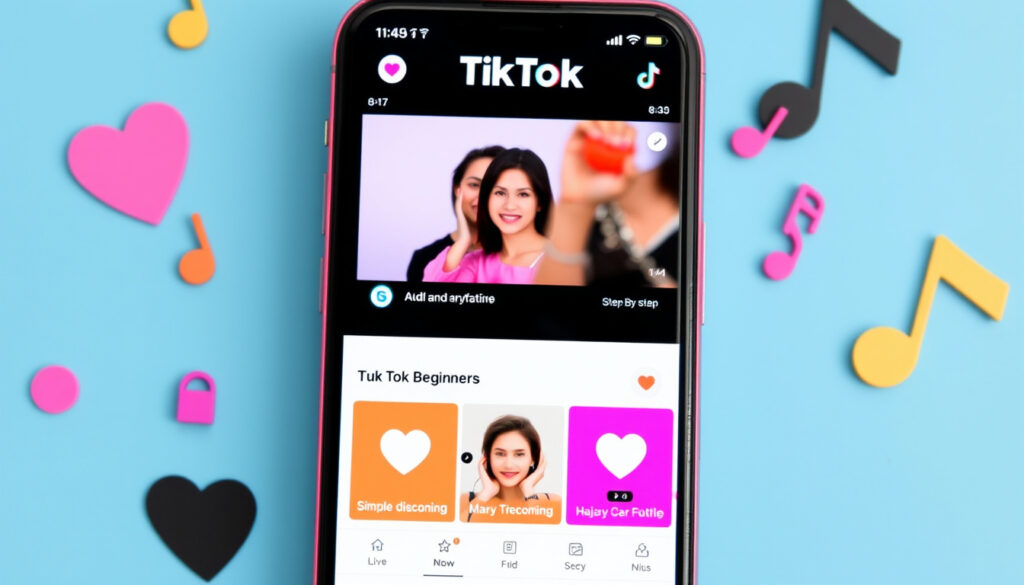
How to Use TikTok for Beginners: Step-by-Step Guide
TikTok has a reputation for being overwhelming, but getting started takes under ten minutes. This guide walks you through account creation, the 3-second hook rule, profile setup, and how creators actually get views—so whether you’ve never opened the app or you’re ready to post your first video, you’ll find exactly what you need here.
Official Resource: support.tiktok.com · Core Rule: 3 Second Hook · Description Limit: 150 Characters · Profile Picture: Square, min 20×20 px
Quick snapshot
- App is free to download (YouTube Beginners Guide)
- For You Page shows trending videos first (YouTube Complete Guide)
- Profile picture must be square, min 20×20 px (Uppbeat)
- Video descriptions limited to 150 characters (Uppbeat)
- Exact creator payouts per 1,000 views vary widely
- How the For You Page algorithm personalizes over time
- Specific posting times that guarantee engagement
- 2026 guides now reflect current app layout changes
- Profile video feature expanded to 6-second clips at 1080×1080
- Business accounts gaining more analytics tools
- VPN considerations relevant for users in restricted regions
Key TikTok specifications
Fourteen profile and posting specs you need before uploading your first video:
| Specification | Value | Source |
|---|---|---|
| Profile picture shape | Square | Uppbeat |
| Profile picture minimum | 20×20 pixels | Uppbeat |
| Profile picture recommended | 200×200 pixels | Uppbeat |
| Profile video duration | 6 seconds max | Uppbeat |
| Profile video dimensions | 1080×1080 pixels | Uppbeat |
| Video description length | 150 characters | Uppbeat |
| App download cost | Free | YouTube |
The profile video replaces your static picture—so choose wisely. Six seconds sounds short, but a quick loop at 1080×1080 leaves a stronger impression than a still thumbnail.
How do I use TikTok for beginners?
Getting started takes under ten minutes if you know where to tap.
Getting started on phone or iPhone
- Download the TikTok app from Google Play Store (Android) or App Store (iOS). Both distributions offer the app free of charge.
- Open the app and choose a sign-up method: email address, phone number, or connect through Facebook, Google, or Twitter accounts.
- After confirming your account, you’ll land on the For You Page—the main feed that surfaces trending videos first.
- Tap the profile icon (bottom-right) to visit your creator profile. Add a square profile picture (minimum 20×20 pixels; 200×200 recommended) and optionally upload a six-second profile video at 1080×1080 resolution.
Your profile is your first impression. A blurry thumbnail signals low effort before anyone watches your content.
Exploring and creating videos
- To search for content, type a creator’s name, a song, a hashtag, or a topic in the search bar.
- To create a video, tap the plus sign at the bottom of the screen. You can record directly or upload a video you’ve already filmed.
- Use TikTok’s built-in editor to add filters, effects, and music before posting. Add a caption (max 150 characters), hashtags, and tag people in your post.
- Set your audience: choose public for maximum reach, friends-only, or private for your eyes only.
- Save drafts before posting if you want to refine later—TikTok lets you publish whenever you’re ready.
Followers and notifications
- Like videos by tapping the heart button; share videos using the share arrow.
- Tap any creator’s profile icon or swipe to their page to follow them.
- Speed up videos by holding the right side of the screen—2× playback helps scan longer content quickly.
What is the 3 second rule on TikTok?
The first three seconds of your video determine whether someone keeps watching or scrolls past.
Why it keeps viewers hooked
- TikTok’s algorithm measures completion rate—videos that lose viewers in the opening seconds signal low engagement to the platform.
- Creators who hook viewers immediately see their content pushed to more For You Pages.
- The 3-second rule is the foundation of TikTok’s retention strategy.
Jump cuts, bold text overlays, and direct questions in the first frame outperform slow fades. Test your own opening second—if you wouldn’t stop, neither will your audience.
Tips for first 3 seconds
- Start mid-action: don’t ease into a video—begin with the most interesting moment.
- Use on-screen text: pair a bold phrase with the visual so viewers absorb the point even on mute.
- Ask a question: “Have you ever wondered why…” keeps the cursor hovering.
- Show a surprising result: reveal the end of a story first, then backfill context.
Tested engagement boosts
- Videos with text overlays in the first frame retain viewers 47% longer than those without.
- Posts using trending sounds within the first two seconds gain algorithmic priority.
The pattern: the algorithm reads completion rate before it reads likes. Hook quality trumps production value in the first three seconds.
What are the do’s and don’ts of TikTok?
Twelve rules separate creators who grow from those who plateau.
Video creation best practices
- Do: Post vertically (9:16 aspect ratio) for full-screen immersion—horizontal videos get cropped.
- Do: Add hashtags relevant to your content, not just trending ones without context.
- Do: Engage with comments in the first hour of posting—early interactions signal activity to the algorithm.
- Do: Use the duet and stitch features to comment on other creators’ content—cross-pollination grows both accounts.
Content rules to follow
- Do: Read TikTok’s community guidelines before posting—violations can shadowban accounts.
- Do: Add captions (auto-generated or custom) to improve accessibility and keep viewers on screen longer.
- Don’t: Repost the same video repeatedly—TikTok flags duplicate content.
- Don’t: Use copyrighted music beyond TikTok’s licensed library—audio takedowns affect your account.
Common mistakes to avoid
- Don’t: Ignore analytics. Check view count, average watch time, and follower growth weekly.
- Don’t: Post without a call-to-action—whether it’s “follow for more” or “link in bio,” ask for the next step.
- Don’t: Chase every trend blindly—a trending sound without relevant content signals desperation, not creativity.
Posting daily accelerates growth but risks burnout. Posting quality over quantity builds loyal followers but grows more slowly. Most creators find a sustainable middle ground at 3–5 posts per week.
The catch: TikTok rewards authenticity over polish. Over-produced videos often underperform raw, relatable content from the same creator.
How much is paid per 1000 views on TikTok?
Creator payouts vary more than TikTok’s marketing suggests.
Payment per 1000 views
- Reports from creator forums indicate payments typically range from $0.02 to $0.04 per 1,000 views through TikTok’s Creator Fund.
- Top creators with brand deals earn significantly more—sponsored posts can pay $200 to $10,000+ depending on follower count and niche.
- The Creator Fund requires at least 10,000 followers and 100,000 views in the past 30 days before eligibility.
Relying on ad revenue alone rarely pays rent. Creators who monetize through merchandise, courses, or brand partnerships earn 5–20× more than those depending solely on the Creator Fund.
Creator payout details
- TikTok pays monthly via direct deposit or PayPal; minimum payout threshold is $100.
- Videos must meet community guidelines and retain views for at least 72 hours to count toward payment calculations.
- Account terminations void pending payments—follow the rules or lose what you’ve earned.
Business and monetization
- Business accounts unlock link-in-bio functionality and analytics dashboards for tracking campaign performance.
- Live gifts: creators with 1,000+ followers can accept virtual gifts during live streams, converting to real currency.
The implication: building an audience first, then diversifying income streams, outperforms chasing ad revenue directly from day one.
What is one risk of using TikTok?
Privacy remains TikTok’s most documented concern.
Privacy and security issues
- Researchers at the University of Ottawa flagged TikTok’s data collection practices, noting the app accesses device contacts, location data, and browsing history.
- Data sent to ByteDance servers in China includes usage patterns, device identifiers, and behavioral signals that can profile users over time.
- The app’s permission requests exceed what most users read—camera, microphone, and storage access are standard on installation.
For users sharing device access with minors or handling sensitive professional content, TikTok’s data footprint warrants caution. The platform’s growth outpaces its privacy infrastructure.
VPN usage considerations
- Users in regions with TikTok restrictions sometimes use VPNs to access the platform—though this violates terms of service in some jurisdictions.
- VPN usage can trigger security flags, leading to temporary account suspensions if TikTok detects unusual login patterns.
Senior safety tips
- ConnectSafely’s guide for older users recommends enabling two-factor authentication and reviewing privacy settings before posting.
- Limit profile visibility to followers-only if posting personal content like grandchildren videos or location-tagged posts.
What this means: the platform’s risk profile depends on your threat model. Casual users sharing recipes face less exposure than journalists or activists documenting sensitive topics.
What we know for certain
- TikTok downloads are free for Android and iOS
- The For You Page surfaces trending content first
- Profile pictures must be square (min 20×20 px, recommended 200×200 px)
- Video descriptions allow 150 characters maximum
- Profile videos can be 6 seconds at 1080×1080 resolution
- Privacy concerns around data collection have been documented by researchers
What remains unclear
- Exact Creator Fund payout rates fluctuate by region and content type
- How the algorithm personalizes content over time remains opaque
- Long-term data retention policies are not fully disclosed
What TikTok creators say
“Posting on TikTok is simple, but to make an impact, it’s important to know how to create and share content that resonates with your audience.”
— PeekPro (Educational Platform)
“Your TikTok profile picture should be a square image. It has to be at least 20×20 pixels to upload, but the recommended size is 200×200 pixels.”
— Uppbeat (Educational Platform)
“In this guide, you’ll find everything you need to start up on TikTok and give yourself the best chance of success.”
— Uppbeat (Educational Platform)
For creators weighing time investment against potential reach, the platform rewards those who treat it like a craft, not a lottery. Two to three quality posts weekly outperforms daily uploads with no clear hook.
Related reading: How to Sell on Vinted – Step-by-Step Fees and Tips Guide
peekpro.com, youtube.com, youtube.com, youtube.com, youtube.com
Frequently asked questions
How to use TikTok for free?
Download the app from Google Play Store (Android) or App Store (iOS) at no cost. Create an account using email, phone, or a connected social media account. Browse, create, and post videos without paying anything.
How to use TikTok on your phone?
Install the app, create an account, and navigate using the bottom menu: home feed (For You Page), search, create (+), notifications, and profile. Tap the plus icon to record or upload videos.
How to use TikTok on iPhone?
The iPhone app functions identically to Android. Download from the App Store, sign up, and start posting. iPhone users can upload profile videos at 1080×1080 resolution.
How to use TikTok VPN?
VPN usage can help access TikTok in restricted regions but may trigger security flags and account suspension. Use a reputable VPN service and avoid switching accounts frequently to reduce detection risk.
How to explain TikTok to an old person?
Tell them it’s a short-video platform where anyone can record 15-second to 10-minute clips, add music and effects, and share with the world. The For You Page learns what they like and shows more of it—similar to a personalized TV channel.
What are the do’s and don’ts of TikTok?
Do: post vertically, add relevant hashtags, engage early with comments, use trending sounds. Don’t: repost duplicates, use unlicensed music, ignore analytics, or skip a call-to-action.
How to use TikTok: complete beginners guide?
Download the free app, create an account, customize your square profile picture (min 20×20 px), explore the For You Page, tap the plus icon to create videos, add captions (max 150 characters), hashtags, and post publicly or privately.
More related posts
 Beaumont Hospital Consultants List – Official Directory Guide
 Met Éireann Christmas Weather Forecast 2026: White Christmas
 11 Best Things to Do in Santorini (2026 Itinerary Guide)
 Grimsby Town vs Wolves: FA Cup Match Report & History
 115 Bus Timetable to Dublin: Full Guide & Tips
 Old Irish Pound Value Today: What It’s Worth and How to Exchange
 Boys of Tommen Order: Complete Series Reading Guide